Text capture
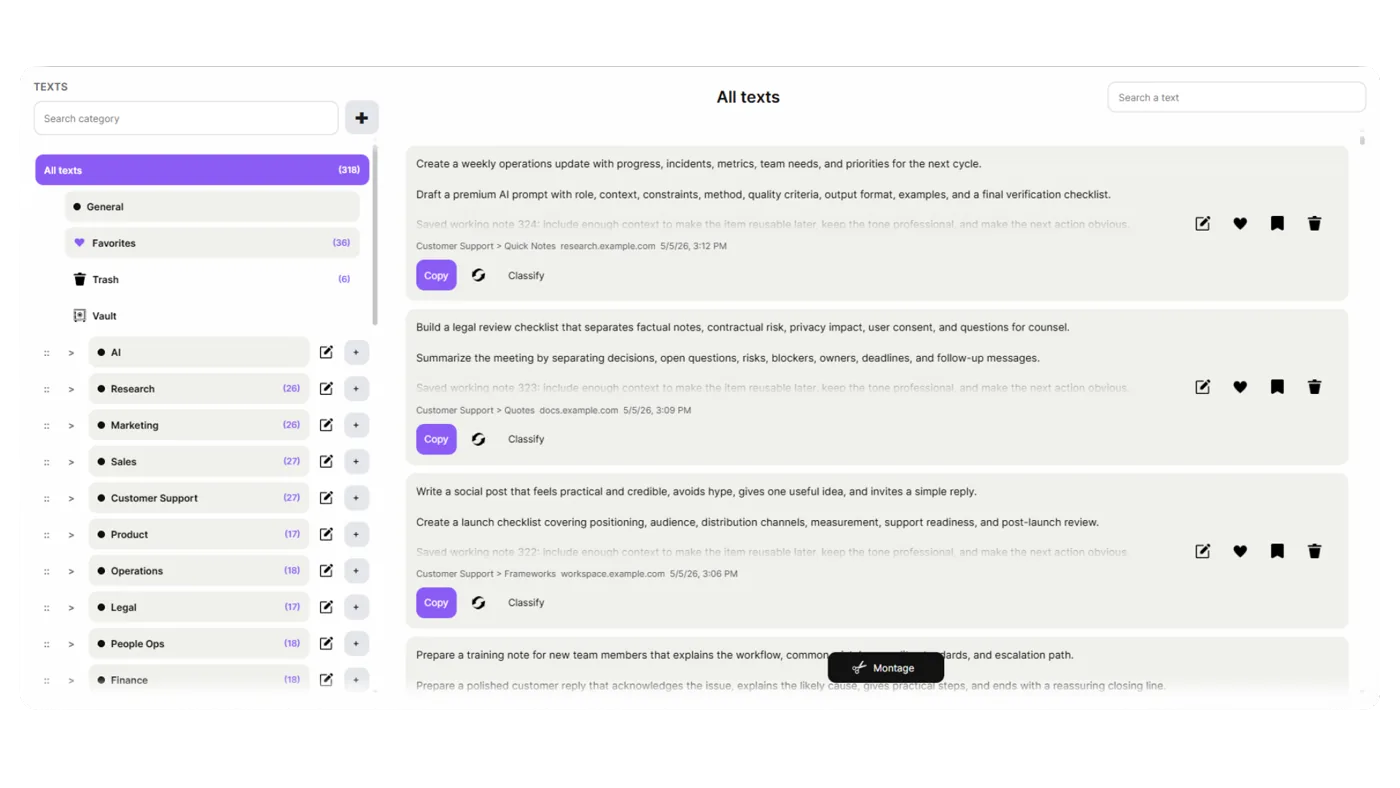
Save copied text as reusable captures with source, date, favicon, categories, favorites and quick actions. Keep notes, prompts, replies and research snippets ready to reuse.
 Ultimate Clipboard ProChrome Extension
An advanced clipboard for demanding users.
Ultimate Clipboard Pro captures everything you copy — text, code, images, screenshots — and organizes it into three dedicated workspaces. Never lose important information again.
3Text, code & images
20Transform, analyze, and enhance your clipboard content with professional-grade tools
50+Code capture with syntax highlighting
3Connect Google Drive to keep your captured texts, code and images current across the computers covered by your license.
Available worldwide
Use Ultimate Clipboard Pro in the language that fits your workflow.
 EnglishEN
 FrançaisFR
 EspañolES
 ItalianoIT
 DeutschDE
 RomânăRO
 PortuguêsPT
 العربيةAR
 中文ZH
中文ZH 日本語JA
日本語JA РусскийRU
 NederlandsNL
 PolskiPL
 TürkçeTR
 한국어KO
한국어KO हिन्दीHI
Core features that transform your workflow
Texts, Code, and Images workspaces keep your content organized by type. Each workspace has its own categories, search, and specialized tools.
Save copied text as reusable captures with source, date, favicon, categories, favorites and quick actions. Keep notes, prompts, replies and research snippets ready to reuse.
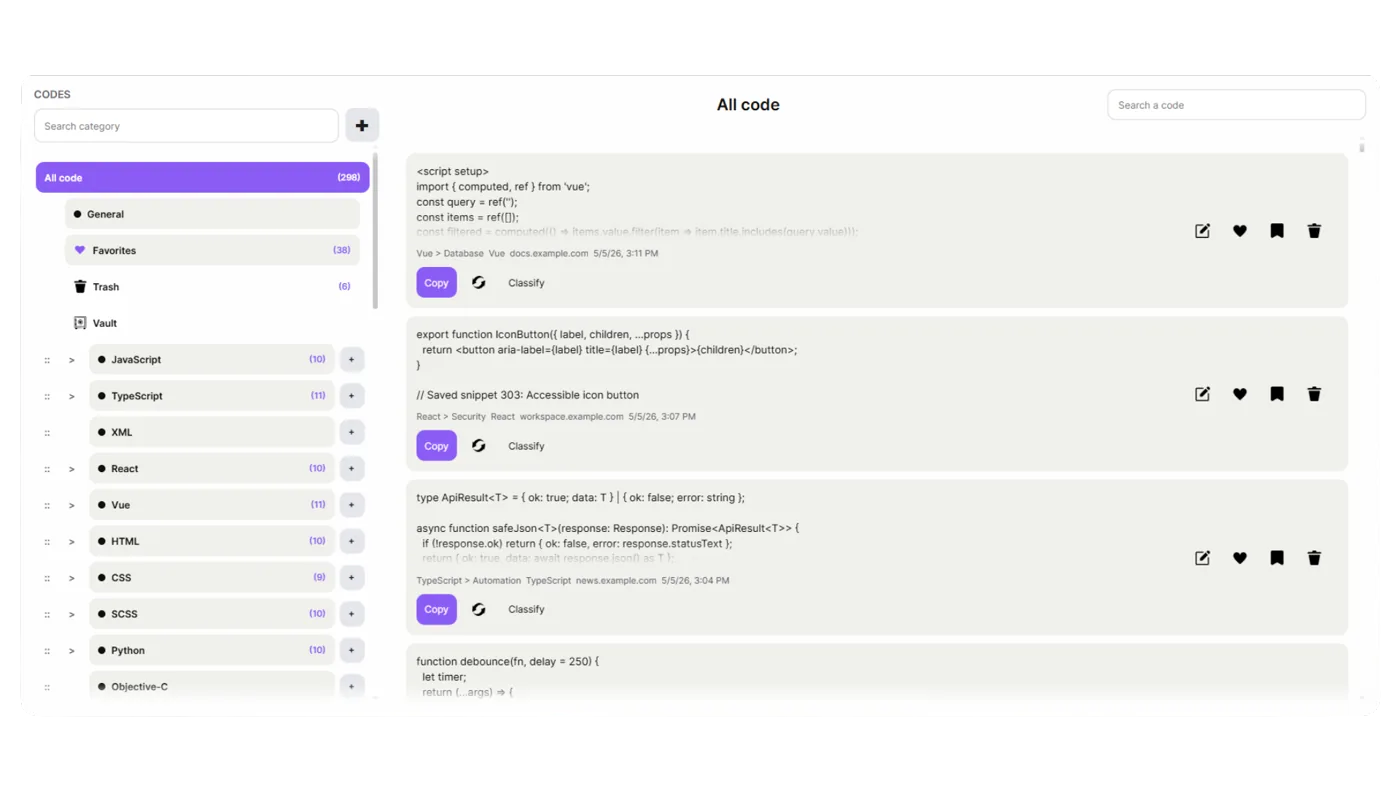
Store copied code blocks separately from plain text, with clean formatting, preserved indentation, automatic language detection and a classification choice to place each capture in the right programming language.
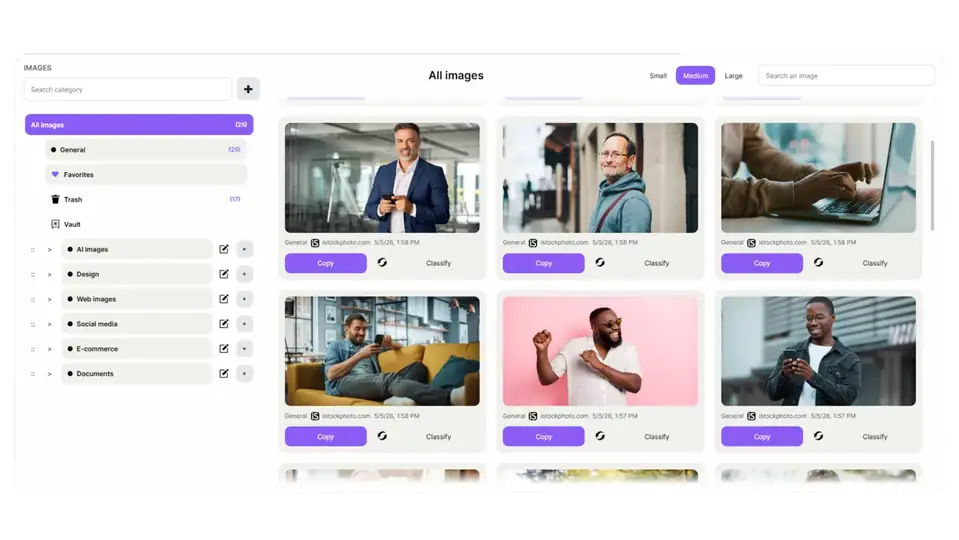
Screenshots, copied images, and visual content are automatically organized in your Images workspace. Built-in OCR extracts text from images for searchability.
Floating launcher
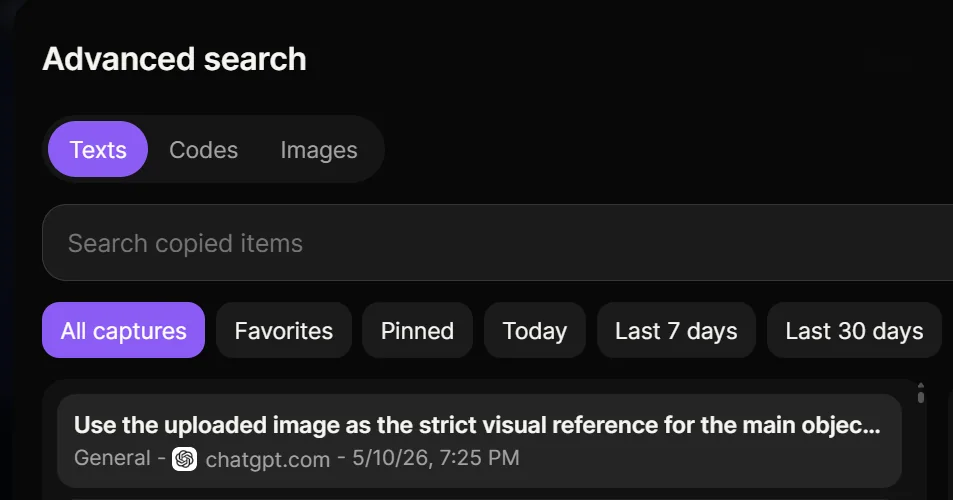
Find anything instantly with full-text search across all workspaces. Search by content, source, date, category or semantic meaning.
Keep your capture tools within reach with the floating launcher. Choose which monitor or monitors display it in a multi-screen setup, and temporarily collapse it whenever you need more space.




Find anything instantly with full-text search across all workspaces. Search by content, source, date, category or semantic meaning.
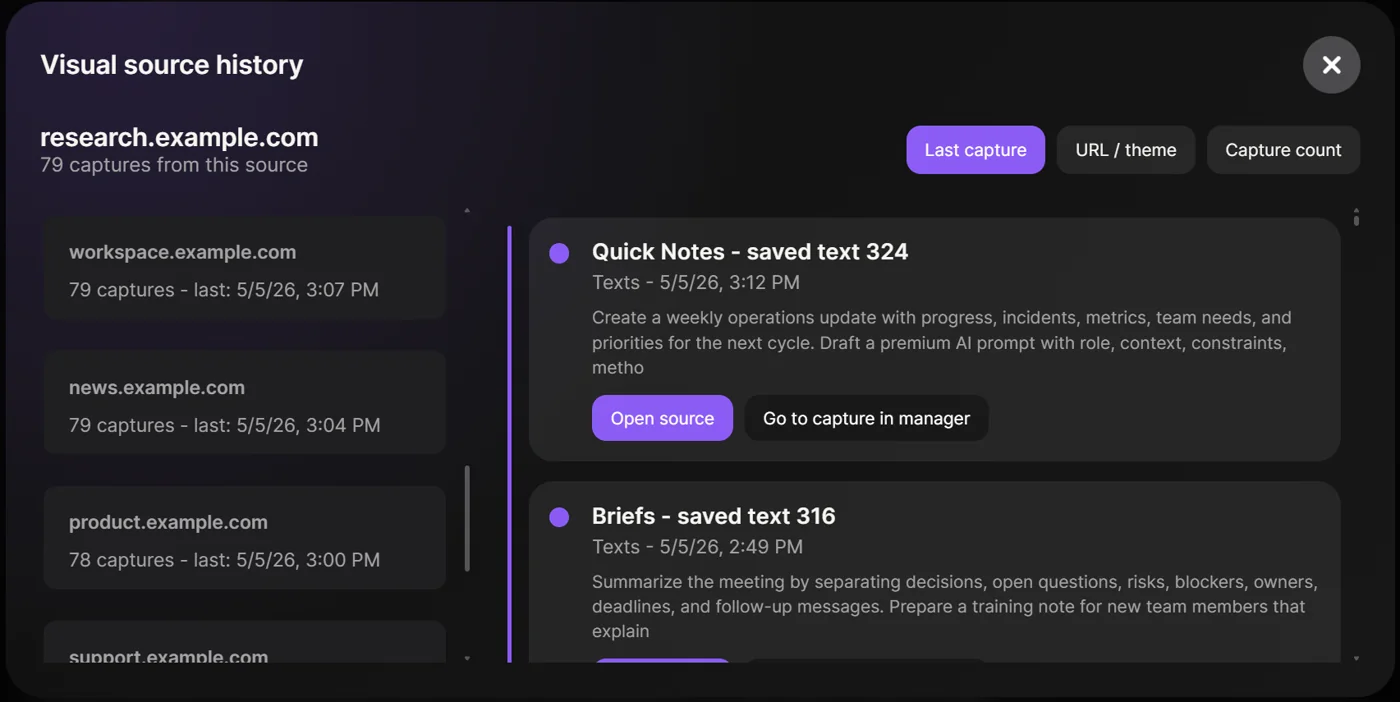
See where each item came from with visual source indicators. Track your copy history across websites, apps and documents with timestamp precision.
20 built-in tools for power users
Local-first architecture means your clipboard data never leaves your device unless you choose to sync
All clipboard data is stored locally on your device. No cloud servers, no third-party access.
Reopen the page a text, code block or image came from, so a capture never becomes disconnected from its original context.
Keep important captures within reach with favorites and pinned items across text, code and images.
Extract text from images and screenshots with high accuracy. Search extracted text across your entire library
One workspace, everywhere
Connect Google Drive to keep your captured texts, code and images current across the computers covered by your license.
 Private Drive backupReal-time synchronization
 Desktop PCReal-time synchronizationWork laptopReal-time synchronizationMacBook ProReal-time synchronization
Ultimate Clipboard Pro
A basic history is usually a long timeline. Ultimate Clipboard Pro gives you dedicated workspaces for text, code and images, plus titles, categories, source URLs, notes, favorites, pins, visual source history, advanced search and Pro workflows such as versioning and montage.
Yes. You can use categories and subcategories, separate text/code/image spaces, favorites, pinned items, trash and vault workflows. The goal is to make your copied material feel organized, not buried.
Versioning lets Pro users keep several versions of the same text or code capture inside one item. It is ideal for prompts, replies, snippets, drafts and improvements where you want evolution without duplicate clutter.
Montage lets you assemble several text captures into one clean combined text. It is useful for preparing prompts, reports, summaries, briefs, research notes or reusable content blocks.
No. Google Drive sync is optional. You can work locally and use local export/restore. Drive sync is for users who want a cloud backup and restore path across their own Google account.
The extension is designed with a local-first philosophy. Normal capture management happens in the browser extension environment on your device. Optional services such as Google Drive sync, payment and licensing are separated and used only for their specific purpose.
Capture a useful text, a code snippet and an image. Then open the manager, add a title, classify one item, search by source and try reusing a capture. That first loop shows why the extension is more than a clipboard history.